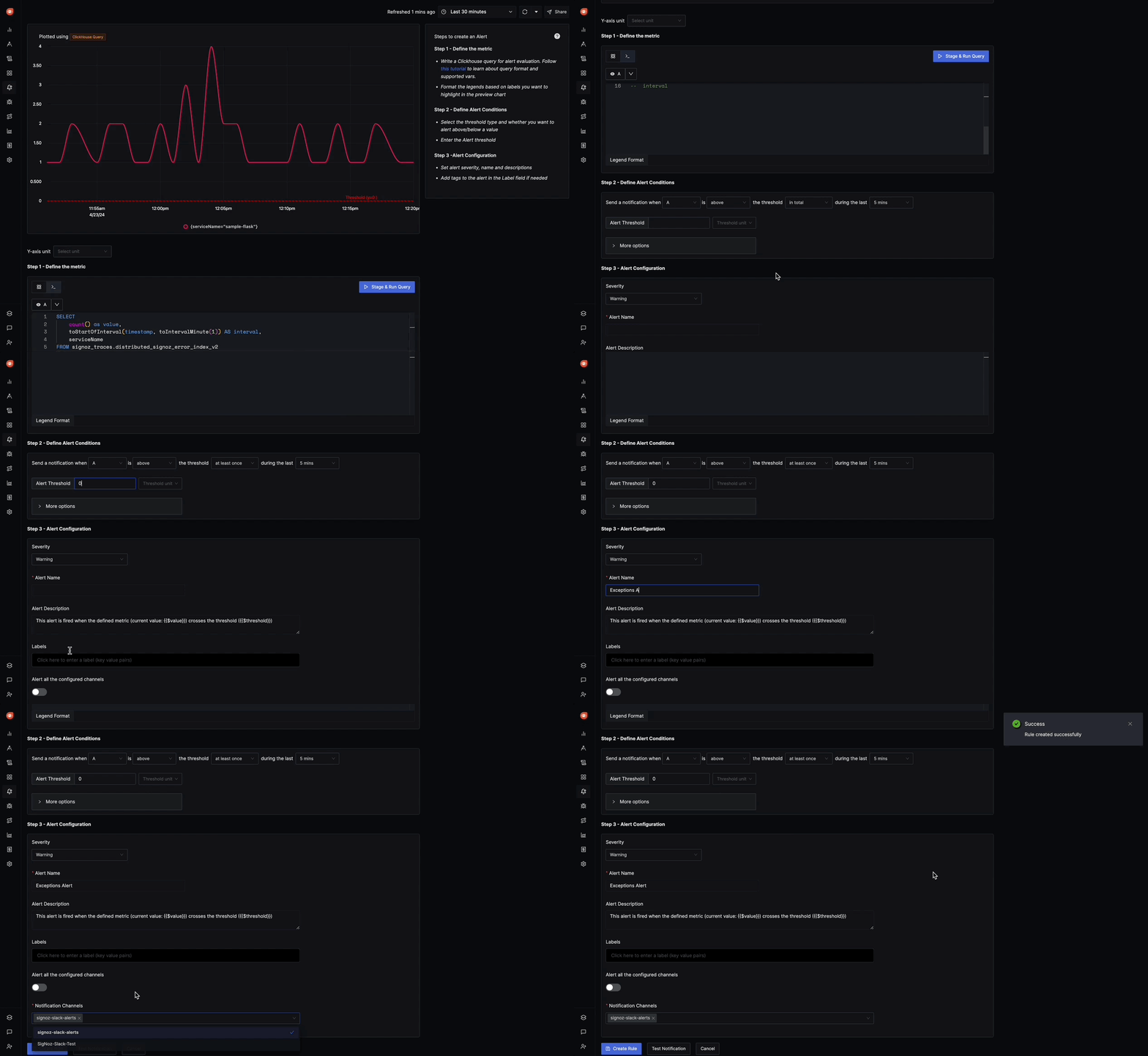
Exceptions based alerts
An Exceptions-based alert in SigNoz allows you to define conditions based on exception data, triggering alerts when these conditions are met. Here's a breakdown of the various sections and options available when configuring an Exceptions-based alert:
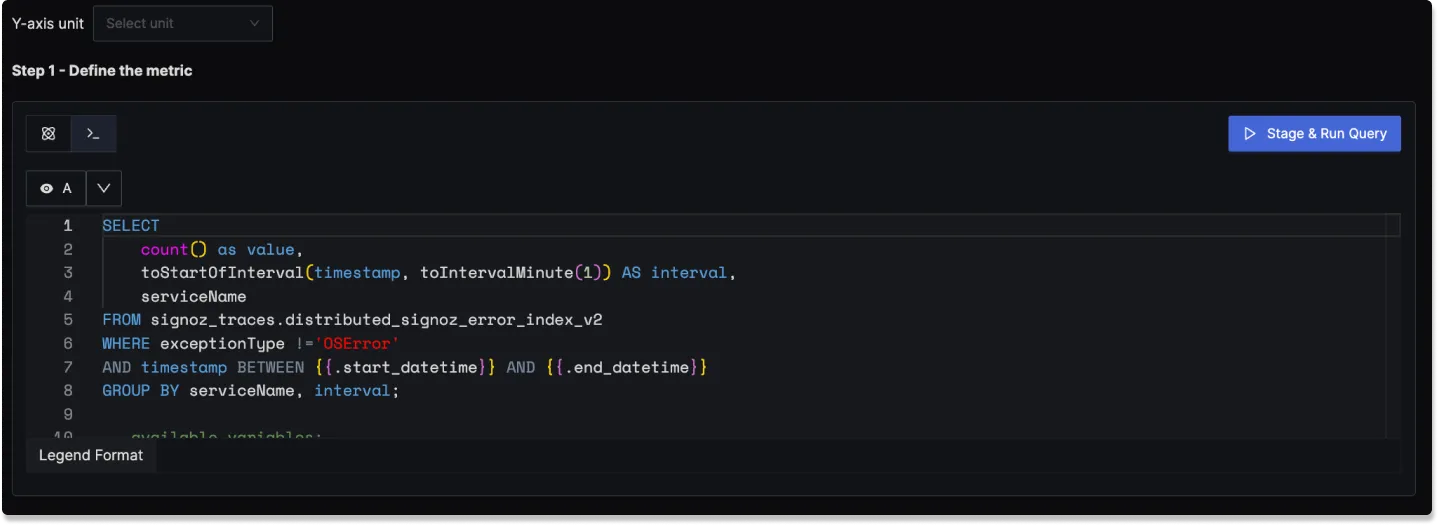
Step 1: Define the Metric Using Clickhouse Query
In this step, you define the Clickhouse query to retrieve the exception data and set conditions for triggering the alert. The following elements are available:
Clickhouse Query: A field to write a Clickhouse SQL query that selects and aggregates exception data. The query should define the exception type, time range, and other necessary conditions.
Legend Format: An optional field to define the format for the legend in the visual representation of the alert.
Having: Apply conditions to filter the results further based on aggregate value.
Step 2: Define Alert Conditions
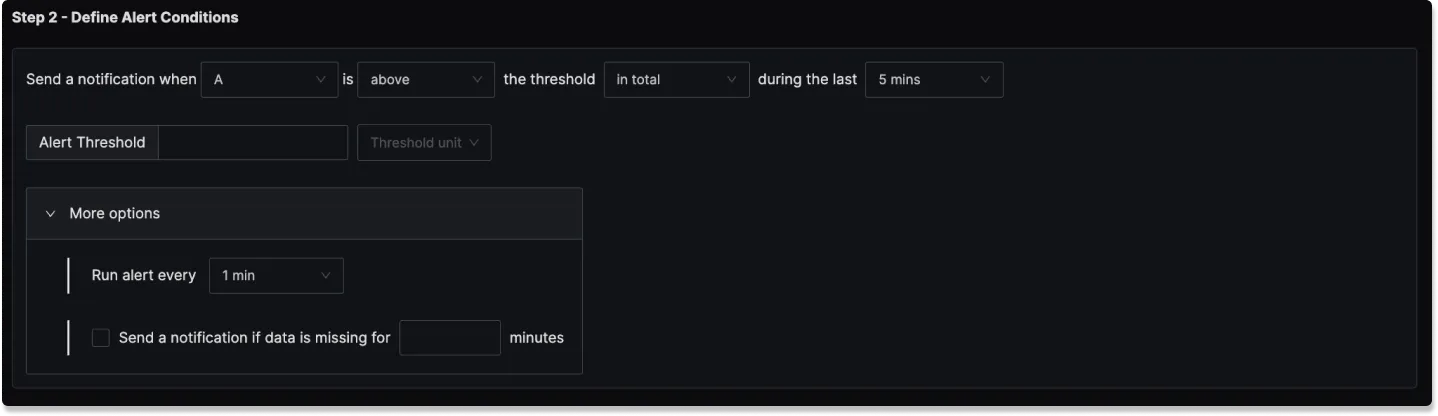
This step is for setting the specific conditions for triggering the alert and determining the frequency of checking those conditions:
Send a notification when [A] is [above/below] the threshold in total during the last [X] mins: A template to set the threshold and define when the alert condition should be checked.
Alert Threshold: A field to specify the threshold value for the alert condition.
More Options :
Run alert every [X mins]: This option determines the frequency at which the alert condition is checked and notifications are sent.
Send a notification if data is missing for [X] mins: A field to specify if a notification should be sent when data is missing for a certain period.
Step 3: Alert Configuration
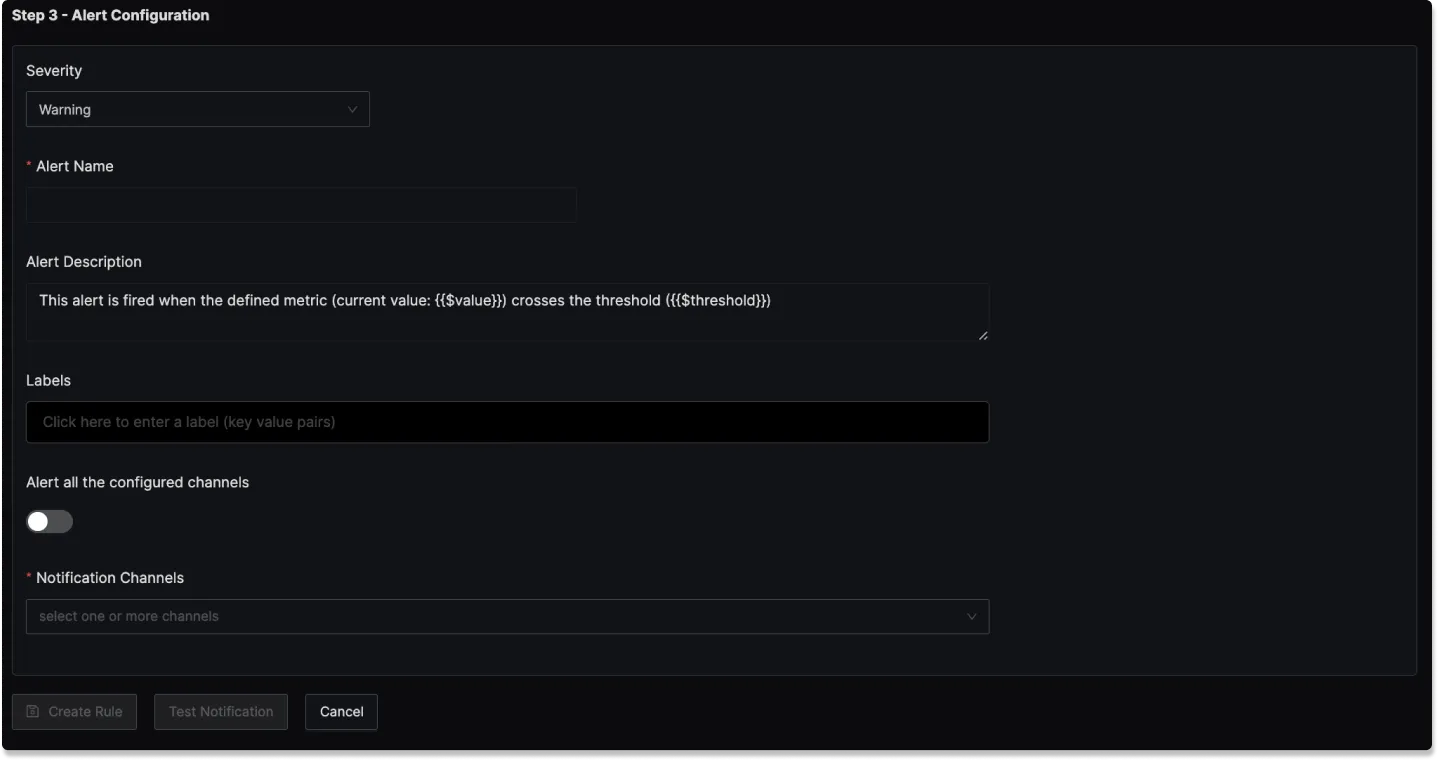
In this step, you set the alert's metadata, including severity, name, and description:
Severity: Set the severity level for the alert (e.g., "Warning" or "Critical").
Alert Name: A field to name the alert for easy identification.
Alert Description: Add a detailed description for the alert, explaining its purpose and trigger conditions.
Labels: A field to add labels or tags for categorization.
Notification channels: A field to choose the notification channels from those configured in the Alert Channel settings.
Test Notification: A button to test the alert to ensure that it works as expected.
Result labels in alert description
You can incorporate result labels in the alert descriptions to make the alerts more informative:
Syntax: Use {{.Labels.<label-name>}} to insert label values.
Example: If you have a query that returns the label service_name then to use it in the alert description, you will use {{.Labels.service_name}}which creates an alert that is specific to the particular service.
Example
An example Exceptions-based alert could be set to trigger when a specific exception type appears:
- ClickHouse Query: Counts occurrences of 'ConnectionError' exceptions within one-minute intervals, grouped by service name. The ClickHouse Query would look like:
    SELECT
        count() as value,
        toStartOfInterval(timestamp, toIntervalMinute(1)) AS interval,
        serviceName
    FROM signoz_traces.distributed_signoz_error_index_v2
    WHERE exceptionType !='ConnectionError'
    AND timestamp BETWEEN {{.start_datetime}} AND {{.end_datetime}}
    GROUP BY serviceName, interval;
- Alert Threshold: Set to 0
- Alert Name: "Exceptions Alert"
- Severity: "Warning"
- Notification Channels: signoz-slack-alerts (Slack channel)